You bought a smart light bulb that only works with Alexa. Then a thermostat that demands Google. Now your living room has three apps, two hubs, and a headache. Here’s how to never let that happen again.
The Trap: Why Smart Home Ecosystem Lock-In Is So Easy to Fall Into
Walk into any electronics store and you’ll see three walls: one painted Amazon blue, one Google green, one Apple white. Each promises a “seamless experience” if you just buy everything from them. It’s not a coincidence. It’s a business model.
The smart home industry spent years building walled gardens. Amazon wants you in Alexa-land. Google wants you in Google Home-land. Apple wants you in HomeKit-land. Each makes their own devices work flawlessly while making competitors’ devices work… less flawlessly. Sometimes not at all.
Here’s what that looks like in real life. You start with an Amazon Echo Dot because it was on sale. You add a Ring doorbell because it integrates perfectly with Alexa. Then you want a smart thermostat, and the Nest Learning Thermostat looks great—but it works best with Google Assistant. You buy it anyway. Now you have two apps, two voice assistants, and a partner who refuses to learn either one. Six months later, you add some Philips Hue bulbs, but the fancy color scenes only work in the Hue app, not through Alexa or Google. That’s three apps. Then you get an August smart lock, which technically works with both but requires a $5/month subscription for full features on one platform and not the other.
This is ecosystem lock-in. It doesn’t happen because you made a bad decision. It happens because every purchase nudges you deeper into one company’s world until switching costs become unbearable. The goal of this guide is to show you how to buy smart home gadgets that play nicely together regardless of who made them—so you keep your freedom to choose.
What Ecosystem Lock-In Actually Costs You
The price of lock-in isn’t just the money you spend. It’s the flexibility you lose.
When every device in your home demands the same platform, you’re stuck with that platform’s limitations. If Amazon discontinues a feature you rely on, or Google changes its privacy policy, or Apple raises its subscription prices, you have no exit strategy. Your entire home is built on their foundation. Moving means replacing hundreds or thousands of dollars of equipment.
There’s also the day-to-day friction. A home with three different ecosystems requires three different apps, three different voice commands, and three different troubleshooting guides. When your smart light stops responding, is it the bulb, the hub, the WiFi, or the platform? Diagnosing becomes a part-time job.
Perhaps most importantly, ecosystem lock-in limits your access to innovation. The best smart home gadget for your specific need might come from a company that doesn’t play nice with your chosen platform. If you’re locked in, you either settle for second-best or start fragmenting your system even further.
The solution isn’t to pick one ecosystem and religiously stick to it. The solution is to understand how devices actually communicate, what standards they use, and how to buy gadgets that remain platform-agnostic even as you use them within a preferred ecosystem.
The Universal Language That Fixes Everything: Understanding Matter and Thread
In 2022, a group of tech companies did something unusual. They agreed on a standard.
Apple, Google, Amazon, Samsung, and dozens of others collectively created Matter—a universal protocol that allows smart home devices to work with any major platform. Matter isn’t a company. It’s not an app. It’s a certification that appears on device boxes as a simple logo: three concentric circles with an arrow.
When a device carries the Matter logo, it means you can set it up with Alexa today, move it to Google Home tomorrow, and switch to Apple HomeKit next year without replacing the hardware. The device speaks a common language that all platforms understand natively.
Matter runs on top of Thread, a wireless networking protocol that creates a mesh network in your home. Unlike WiFi, where every device connects directly to your router, Thread allows devices to talk to each other. Your smart plug can relay signals to a light bulb three rooms away. This means better reliability, lower latency, and no single point of failure. If your router goes down, Thread devices can still communicate with each other locally.
As of 2026, Matter covers most major smart home categories: lights, plugs, thermostats, locks, sensors, blinds, and TVs. Security cameras and robot vacuums are still rolling out but are expected by late 2026. The key thing to understand is that Matter is backward-compatible. A Matter device works with older platforms through “bridges”—so your existing Echo or Google Nest speaker can control Matter devices without needing replacement.
When shopping for smart home gadgets, look for the Matter logo first. It’s the single most important indicator that a device won’t trap you in an ecosystem.
How to Evaluate Any Smart Home Gadget Before You Buy
Every purchase is a decision point. Here’s the mental checklist to run through before adding anything to your cart.
First, check for Matter compatibility. This should be your default filter. If the device supports Matter, your ecosystem concerns are largely solved. You can buy it confidently.
If Matter isn’t available yet for that category (like advanced security cameras or some appliances), look for devices that explicitly support multiple platforms. The product page or box should list “Works with Alexa,” “Works with Google Assistant,” and “Works with Apple HomeKit” together—not just one. Be wary of devices that only list one platform unless they have a clear upgrade path.
Second, investigate whether the device requires a proprietary hub. Some brands, like Philips Hue, use their own hub to connect devices. This isn’t inherently bad—the Hue hub is excellent and enables features that direct WiFi bulbs can’t match. But it adds complexity. Ask yourself: does this hub lock me into this brand’s ecosystem? With Hue, the answer is somewhat yes for advanced features, but basic control works through any platform. With other brands, the hub might be a brick without the manufacturer’s app.
Third, read the fine print on subscriptions and cloud dependencies. Many smart home gadgets require an account with the manufacturer and a connection to their cloud servers to function. If that company goes out of business or discontinues the product, your device becomes a paperweight. Look for devices that offer local control—meaning they work on your home network without phoning home to a corporate server. Matter devices, by design, emphasize local control.
Fourth, consider the power source and connectivity. Battery-powered devices using WiFi drain batteries quickly. Thread or Zigbee devices are more efficient. If you’re buying a sensor that needs to last two years on a coin cell battery, WiFi is the wrong choice regardless of how good the app looks.
Finally, check the manufacturer’s track record. Have they been around for more than a few years? Do they issue regular firmware updates? Do they have a history of bricking devices when they discontinue a product line? A quick search of “[brand name] discontinued product” reveals a lot.
Building a Cross-Platform Smart Home: Room by Room
The best way to understand mixing and matching is to walk through a real home. Here’s how to equip each room with devices that work together regardless of which voice assistant you prefer.
The Living Room
Start with a smart speaker or display that serves as your primary control point. The Amazon Echo Studio, Google Nest Hub, or Apple HomePod all work as Matter controllers. Choose based on which ecosystem you already use most—this is one place where picking a side makes sense, because the speaker is your interface, not a trapped device.
For lighting, choose Matter-certified bulbs like the Nanoleaf Essentials A19 or the Philips Hue White bulbs connected through a Hue Bridge. The Hue Bridge acts as a Matter bridge, so your bulbs work with any platform while still offering the advanced scheduling and color features of the Hue ecosystem.
For entertainment, the Apple TV 4K, Amazon Fire TV Cube, and Google Chromecast with Google TV all support Matter as controllers. If you have a mix of streaming services across platforms, a Matter-compatible TV or streaming device lets you control power and input switching through any voice assistant.
For climate control, the Ecobee Smart Thermostat supports Alexa, Google, and HomeKit natively, plus Matter. It includes a remote sensor for temperature balancing in large rooms. The Nest Learning Thermostat is excellent but historically Google-favored—though newer models are adding broader support.
The Kitchen
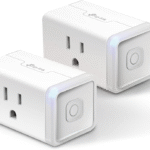
Smart plugs are the workhorse here. The Kasa EP25 and Amazon Smart Plug both support Matter, allowing you to control coffee makers, slow cookers, or countertop appliances from any platform. Schedule your coffee maker to start brewing at 6:45 AM regardless of whether you’re using Alexa or Google.
For major appliances, options are still limited but growing. The LG ThinQ refrigerator and GE Profile appliances are adding Matter support. Until then, focus on appliances that offer robust app control without requiring a specific ecosystem. The key question: can I control this from my phone without needing an Alexa or Google account specifically?
The Bedroom
Smart bulbs with circadian rhythm features—like the Philips Hue White Ambiance or Nanoleaf Essentials—support Matter and allow wake-up routines that gradually brighten light. These work through any platform, so if you switch from Alexa to Google, your morning routine migrates seamlessly.
For sleep tracking, the Eight Sleep Pod covers work independently of any ecosystem, using their own app. This is preferable to ecosystem-dependent trackers that might lose features if you switch platforms.
Smart locks for the bedroom or home office are increasingly Matter-compatible. The Yale Assure Lock 2 with Matter support works with any platform. The August Wi-Fi Smart Lock is more platform-agnostic than most, though it historically favored certain integrations. Check the specific model year—Matter support was added to newer versions.
The Entryway
Your front door is where security matters most. The Yale Assure Lock 2 with Matter is the safest bet for cross-platform compatibility. For doorbells, the Ring Video Doorbell is deeply Amazon-integrated, while the Google Nest Doorbell favors Google. For true neutrality, consider the Logitech Circle View Doorbell (HomeKit-focused but reliable) or wait for Matter-certified video doorbells, which are rolling out in 2026.
For security cameras, local storage options like the Reolink or Amcrest systems keep your footage on a hard drive in your home rather than in a company’s cloud. This eliminates ecosystem dependency entirely. You access footage through a browser or dedicated app, not through Alexa or Google.
The Home Office
Smart plugs power your desk setup. A Matter-compatible power strip like the Kasa Smart Wi-Fi Power Strip lets you control individual outlets for your monitor, laptop charger, and desk lamp separately.
For climate control in a detached office or separate room, a smart AC controller like the Sensibo Air works with any platform and adds scheduling to window units or mini-splits that weren’t designed smart.
When to Stay Within One Ecosystem (And When to Break Free)
There are legitimate reasons to commit to a single ecosystem. If everyone in your home already uses iPhones, Apple HomeKit offers the best privacy and the most polished experience. If you’re deeply embedded in Amazon Prime, Ring, and Fire TV, Alexa provides the most seamless integration. If you live in Google services—Gmail, Calendar, Photos, Nest—Google Assistant ties everything together.
The problem isn’t choosing an ecosystem. The problem is choosing one unconsciously, one device at a time, until you’re trapped.
Here’s the rule: your control layer—the voice assistant and app you use daily—can be your preferred ecosystem. But your device layer—the actual bulbs, locks, sensors, and plugs—should be as platform-agnostic as possible.
This means you can use an Amazon Echo as your daily controller while filling your home with Matter-certified devices that would work equally well with Google or Apple. If you ever decide to leave Amazon, your devices come with you. Only the Echo needs replacement.
The exception is when a platform-specific device offers genuinely unique value that no cross-platform alternative provides. The Apple HomePod Mini’s audio quality and privacy features are unmatched for the price. The Amazon Echo’s Drop-In intercom feature is genuinely useful for families. The Google Nest Hub’s photo frame integration is excellent for Google Photos users. In these cases, buying into the ecosystem for the control device makes sense—as long as your end devices remain free.
Red Flags: How to Spot a Lock-In Trap Before You Buy
Some devices are designed to trap you. Here’s what to watch for.
Proprietary wireless protocols that require the manufacturer’s hub and don’t bridge to other platforms. Lutron Caseta is a quality system, but it requires the Lutron hub and doesn’t support Matter. If you buy in, you’re buying Lutron for life.
Subscription-required features for basic functionality. Some smart locks require a monthly fee to generate temporary access codes on one platform but not another. This is a platform penalty designed to push you toward their preferred ecosystem.
Cloud-dependent operation where the device stops working if the manufacturer’s servers go down or if they discontinue the product. This is common with budget brands that have no local control option.
Artificial feature restrictions where a device has the hardware capability for a feature but only enables it on one platform. Some robot vacuums allow room-specific cleaning commands through Alexa but not through Google Assistant, even though the hardware is identical.
No firmware update history. If a company has never issued a firmware update, they likely never will. This means no Matter support coming later, no security patches, and no bug fixes.
“Works with [single platform]” as the only compatibility claim. This is fine for a platform-specific control device like a smart speaker. It’s a trap for an end device like a bulb or sensor.
Future-Proofing Your Smart Home: What to Expect Next
The smart home landscape is changing rapidly, and understanding what’s coming helps you buy wisely today.
Matter 1.4 and 1.5, released in late 2025 and 2026, added support for more device types including robot vacuums, advanced energy management, and improved multi-admin features that let you control the same device from multiple platforms simultaneously. This means your Matter-certified smart plug can appear in both the Alexa and Google Home apps at the same time, fully functional in both.
Thread border routers are becoming standard in more devices. Your Apple TV, Google Nest Hub, and Amazon Echo can all act as Thread border routers, meaning you don’t need a separate hub for Thread devices. This reduces clutter and cost.
Energy management is the next major frontier. Matter 1.5 includes features for smart energy panels, EV chargers, and water heaters. If you’re planning to add solar panels or a home battery, buying Matter-compatible energy devices now ensures they’ll integrate with your future setup.
The trend is clear: the industry is moving toward genuine interoperability. Companies that resist this—by keeping their devices proprietary—will become increasingly isolated. Buying Matter today is a bet on the future that is already paying off.
Your Action Plan: Start Free, Stay Free
If you’re just beginning your smart home journey, here’s the specific purchase order that keeps you out of ecosystem jail.
Month 1: Buy two Matter-certified smart plugs. The Kasa Matter Smart Plug or Amazon Smart Plug with Matter support are under $15 each. Use them with whatever voice assistant you already have. Notice that they work without needing a brand-specific hub.
Month 2: Add Matter-certified smart bulbs. The Nanoleaf Essentials or Philips Hue with Matter bridge. Set up scenes and schedules. Confirm they work in your Alexa app and could work in Google Home if you switched.
Month 3: Choose your control device—a smart speaker or display. This is where you pick an ecosystem, but only for the controller. Buy based on which platform you use most for music, calendars, and communication. The Echo Dot, Google Nest Mini, or HomePod Mini are all Matter controllers.
Month 4: Add a major appliance like a thermostat or lock. Verify Matter compatibility before buying. The Ecobee Smart Thermostat Premium or Yale Assure Lock 2 with Matter are safe choices.
Month 5 and beyond: Expand with sensors, cameras, and advanced automation. Always check for Matter first. If Matter isn’t available, verify multi-platform support and local control options.
Every three months, audit your system. Ask: if I wanted to switch from Alexa to Google tomorrow, how many devices would I need to replace? The goal is zero.
The Bottom Line
A smart home should make your life easier, not more complicated. Ecosystem lock-in turns your home into a subscription service where the terms can change without your consent. Matter and Thread are the tools that prevent this.
You don’t need to be a tech expert to build a cross-platform smart home. You just need to ask one question before every purchase: if I switch platforms, does this device come with me?
If the answer is yes, buy it. If the answer is no, know exactly what you’re trading away—and make sure the unique value is worth the lock-in.
The ultimate smart home isn’t the one with the most gadgets. It’s the one where every device works for you, not for the company that made it.
Already locked into an ecosystem and want to escape? Or trying to decide between two specific devices? Drop your situation in the comments—I’ll help you find the most flexible path forward.