Your electric bill is probably 20–30% higher than it needs to be. These seven devices cost under $50 each, pay for themselves within months, and cut your energy waste without changing your daily habits.
The Hidden Energy Drain in Every Home
The average American household spends roughly $2,000 per year on electricity. A significant portion of that—often 20–30%—goes to devices that are plugged in but not actively being used. Your TV draws power waiting for the remote signal. Your gaming console updates in standby mode. Your coffee maker keeps water warm all day. Your charger stays warm even when no phone is attached.
This is called phantom load, vampire power, or standby consumption. It happens because modern electronics are never truly “off.” They’re in a low-power state, ready to respond instantly. That convenience costs you $200–$600 per year, depending on how many devices you own and how inefficient they are.
The good news: you don’t need to unplug everything manually or live like it’s 1985. Smart home gadgets can automate the elimination of phantom load, optimize when high-draw appliances run, and give you visibility into exactly where your money is going. The devices below are specifically chosen because they attack the biggest energy waste categories in a typical home—and they cost less than a few weeks of your current electric bill.
1. Smart Plugs with Energy Monitoring: See the Waste Before You Stop It
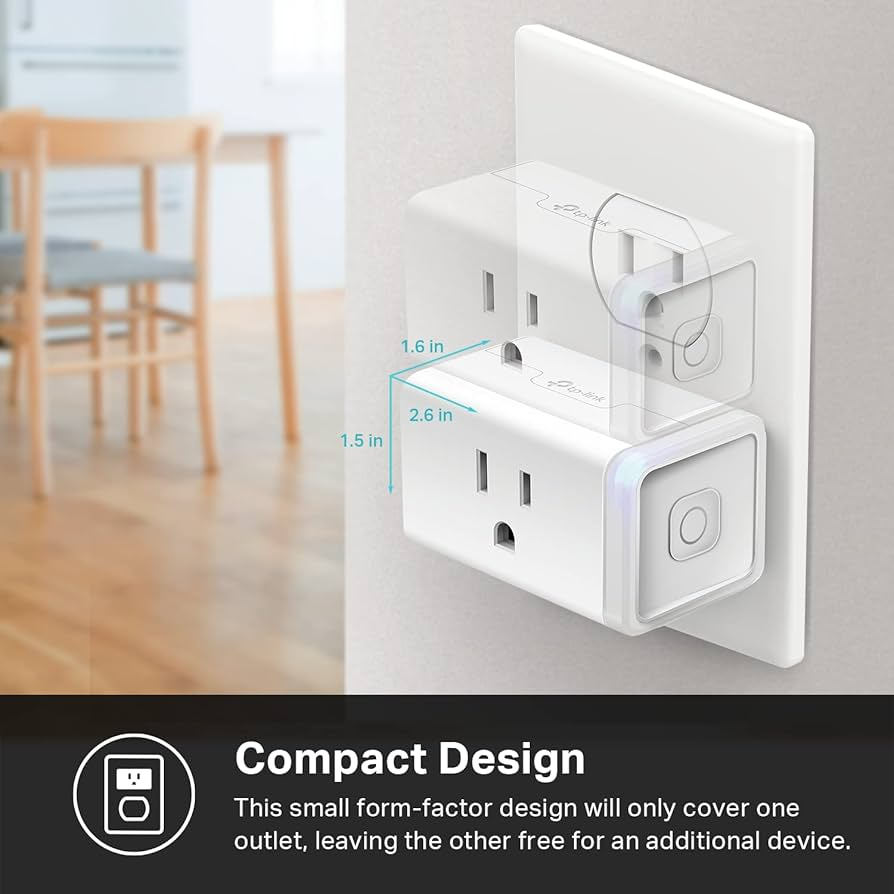
What it is: A plug adapter that measures exactly how much electricity a connected device uses, displays real-time and historical data, and lets you turn the device on or off remotely or on a schedule.
Why it matters: You cannot fix what you cannot see. Most people have no idea which devices are the biggest energy drains. A smart plug with energy monitoring removes the guesswork. It shows you, in dollars and cents, what each device costs to run.
The Kasa EP25 is the standout here. It costs roughly $12, measures power consumption with reasonable accuracy, and connects directly to your WiFi without a hub. The Kasa app breaks down usage by hour, day, and month, and estimates your cost based on your local electricity rate. You can set schedules—turn off the entertainment center at midnight, turn on the coffee maker at 6:45 AM—and create automation rules.
Where to use it first: Your entertainment center. A modern TV, soundbar, gaming console, and streaming box together can draw 50–100 watts in standby. That’s 1.2–2.4 kilowatt-hours per day, or roughly $50–$130 per year at average rates. One smart plug controlling the entire power strip eliminates that waste entirely.
The strategy: Buy one smart plug. Put it on your biggest suspect device. Run it for two weeks to establish a baseline. Then decide whether to automate that device, replace it with a more efficient model, or simply unplug it when not in use. Repeat with the next biggest drain.
Real impact: Users who systematically audit their homes with energy-monitoring smart plugs typically identify $150–$400 in annual waste within the first month.
2. Smart Thermostats on a Budget: Control Your Biggest Energy User
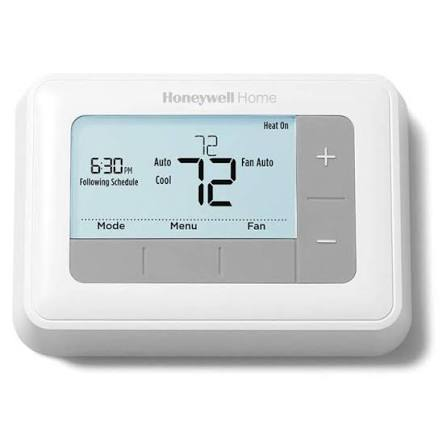
What it is: A thermostat that learns your schedule, adjusts temperature automatically, and prevents heating or cooling an empty house.
Why it matters: Heating and cooling account for roughly 50% of home energy use. A single degree of temperature adjustment, maintained over a season, can change your bill by 3–5%. A smart thermostat that automatically lowers the heat when you leave and raises it before you return can save 10–15% on this category alone.
The Honeywell Home T5 and Emerson Sensi both regularly sell for under $50 and offer core smart functionality: scheduling, geofencing (adjusting based on whether you’re home), remote control via app, and energy usage reports. Neither requires a subscription. Neither demands a C-wire in all cases—both can work with batteries in many installations, though a C-wire is preferred for reliability.
How to maximize savings: Set aggressive setbacks. In winter, drop to 62°F when you’re away and 65°F when sleeping. In summer, rise to 78°F when away and 76°F when sleeping. The thermostat handles the transition so you don’t walk into a cold house or wake up sweating. Each degree of setback for eight hours saves approximately 1% on your heating or cooling bill.
What to watch: Installation requires turning off power at the breaker and connecting low-voltage wires. If you’re uncomfortable with this, hire an electrician—it’s a 15-minute job. Also verify your HVAC system compatibility before purchasing; most modern systems work, but heat pumps and older systems may need specific models.
Real impact: A properly programmed budget smart thermostat saves $130–$180 per year on average, paying for itself in under four months.
3. Smart LED Bulbs: Cut Lighting Costs by 75%
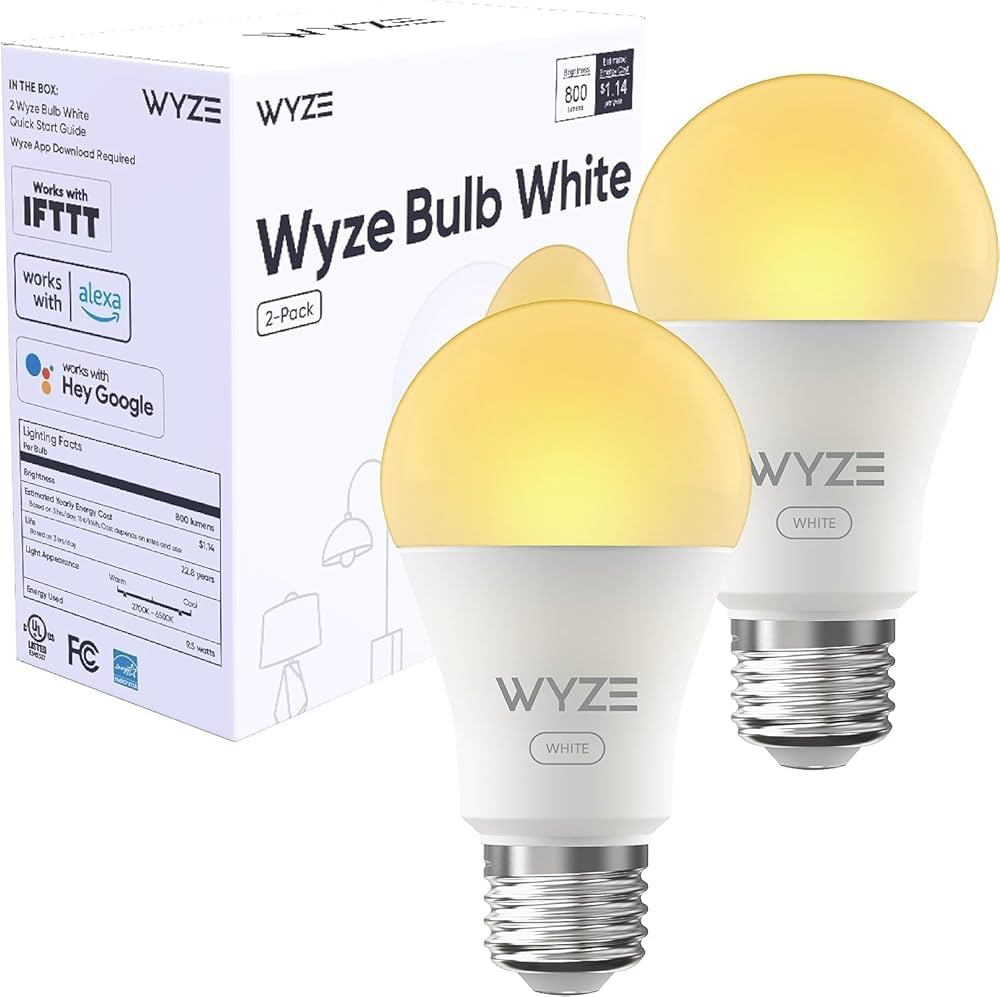
What it is: An LED bulb that connects to your WiFi and allows scheduling, dimming, and remote control.
Why it matters: Lighting accounts for roughly 5–10% of home electricity use. LED bulbs already use 75% less energy than incandescent bulbs and last 25 times longer. Smart LED bulbs add the ability to ensure lights are never left on unnecessarily, to dim them when full brightness isn’t needed, and to use daylight-matched color temperatures that reduce the need for artificial light during the day.
The Wyze Bulb White costs roughly $8 per bulb and offers dimming, scheduling, and tunable white temperature. The Sylvania Smart+ bulbs, often available in multipacks that bring the per-bulb cost under $5, work directly with Alexa and Google without a hub. Both allow you to set lights to turn off automatically when you typically leave for work, turn on gradually before your alarm, and dim to 10% in the evening when full brightness is unnecessary.
The overlooked savings: Dimming a bulb to 50% brightness doesn’t just halve the energy use—it often reduces it by 60–70% because LEDs become more efficient at lower power levels. A bulb that runs at 50% brightness for four hours uses less energy than a non-dimmable bulb at full brightness for two hours.
What to watch: Smart bulbs don’t work with dimmer switches—if your fixture has a physical dimmer, either replace the switch with a standard on/off switch or use a smart switch instead. Also, turning a smart bulb off at the wall switch kills its connectivity, so train household members to use voice or app control.
Real impact: Replacing ten frequently used incandescent bulbs with smart LEDs and automating them to turn off when not needed saves $75–$150 per year in electricity and eliminates the cost of replacing burnt-out bulbs for years.
4. Smart Power Strips: Kill Phantom Load Across Multiple Devices
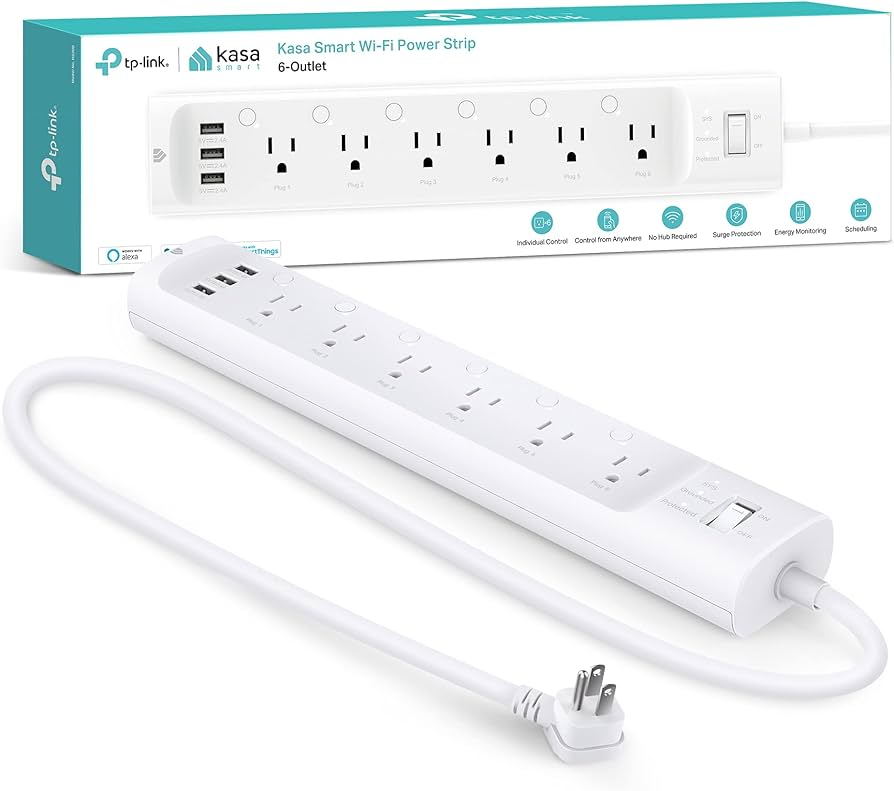
What it is: A power strip with individually controllable outlets and master-controlled outlets that automatically cut power to secondary devices when the primary device turns off.
Why it matters: Your entertainment center, computer desk, and kitchen counter each have multiple devices that draw phantom power. A smart power strip handles them all at once rather than requiring individual smart plugs for each device.
The Kasa Smart Wi-Fi Power Strip offers six independently controllable outlets plus three USB ports, all manageable through the Kasa app. You can turn off the entire strip remotely, schedule each outlet separately, or set one outlet as the “master” that controls others—when the TV turns off, the soundbar, gaming console, and streaming box automatically lose power too.
The TP-Link Kasa HS300 includes energy monitoring for each outlet, so you can see exactly which device in a cluster is the biggest drain. This is invaluable for computer setups where the monitor, speakers, printer, and external drives each contribute to standby load.
Where to use it: Any location with three or more electronic devices that are used together. Entertainment centers, computer workstations, and kitchen appliance clusters are the prime candidates.
What to watch: Some devices need continuous power even when “off”—cable boxes that take ten minutes to reboot, smart speakers that lose their settings, or devices with clocks. Use the independently controllable outlets to keep necessary devices powered while cutting the rest.
Real impact: A single smart power strip on an entertainment center can eliminate 30–50 watts of continuous phantom load, saving $30–$80 per year.
5. Smart Water Heater Controllers: Stop Heating Water You Don’t Use
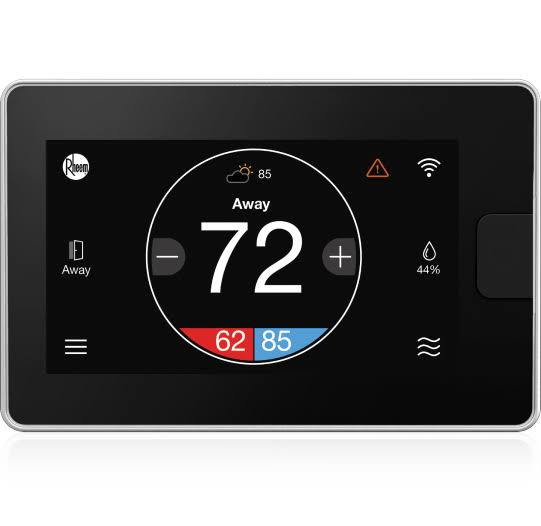
What it is: A device that attaches to your electric water heater and schedules heating cycles to match your actual hot water usage patterns.
Why it matters: Water heating is typically the second-largest energy user in a home, accounting for 15–20% of electricity consumption. Most water heaters maintain a tank of water at 120–140°F around the clock, whether you’re sleeping, at work, or on vacation. Heating water you don’t use is pure waste.
The Rheem EcoNet controller, often available for under $50 when bundled with compatible Rheem heaters or purchased separately, allows you to set schedules—heat water at 5 AM for morning showers, drop to vacation mode during the day, heat again at 5 PM for evening use. It also includes leak detection and temperature alerts.
For non-Rheem heaters, the Aquanta smart water heater controller retrofits to most electric and gas tanks. It learns your usage patterns and automatically optimizes heating cycles. While the Aquanta typically costs more than $50, it often pays for itself within a year.
What to watch: Installation on electric water heaters involves connecting to the heater’s wiring and should be done by someone comfortable with electrical work or a professional. The savings are substantial enough to justify the installation cost.
Real impact: A smart water heater controller that reduces standby heating by 6–8 hours per day saves $100–$200 annually, depending on your local electricity rates and household hot water usage.
6. Smart Blinds and Curtain Controllers: Use Free Solar Energy
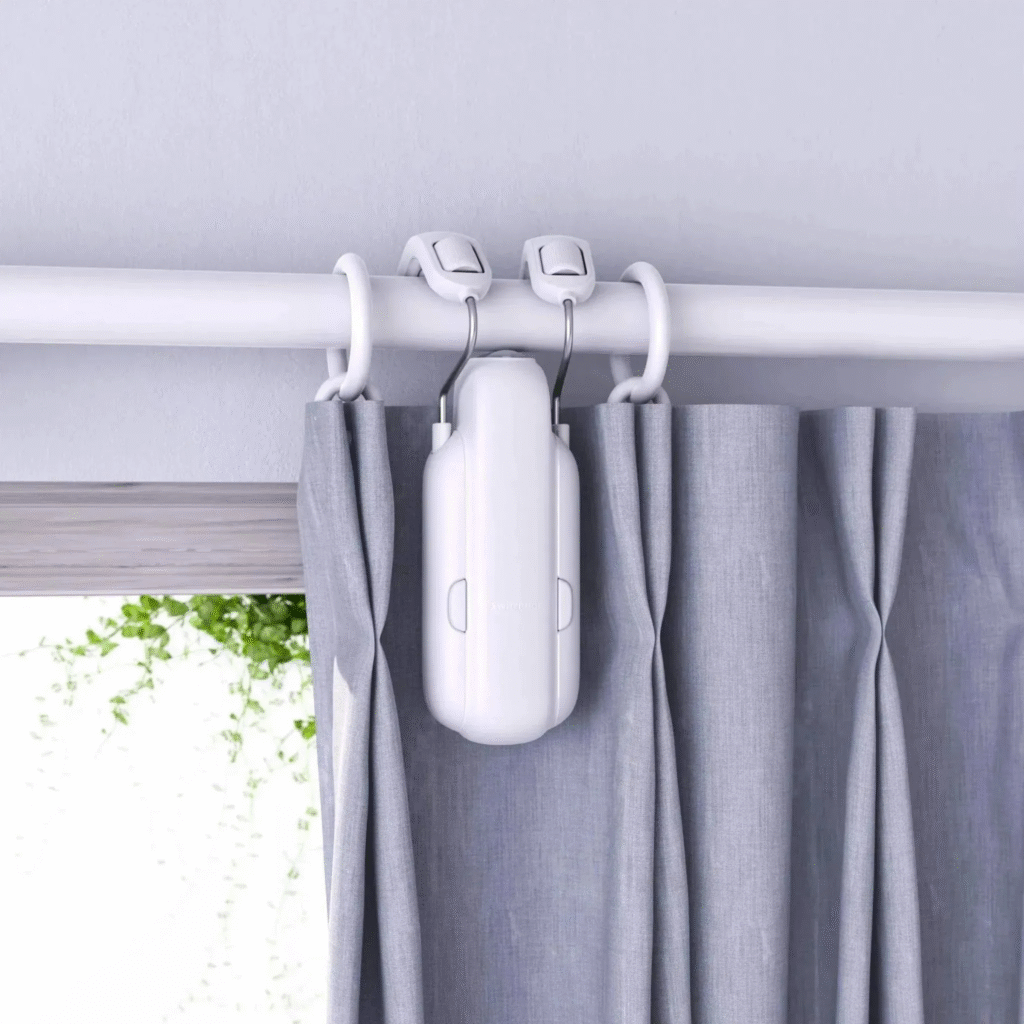
What it is: A motorized device that opens and closes blinds or curtains on a schedule, allowing sunlight to heat your home in winter and blocking it in summer.
Why it matters: Windows are thermal weak points. In winter, they lose heat. In summer, they gain it. Managing solar gain passively—letting sun in when you want heat and blocking it when you want cool—reduces the workload on your heating and cooling system significantly.
The SwitchBot Curtain costs roughly $35–$50 per unit and attaches to your existing curtain rod. It physically pulls curtains open or closed on a schedule you set. In winter, program it to open south-facing curtains at 9 AM and close them at 4 PM, capturing free solar heat. In summer, keep them closed during peak sun hours to reduce cooling load.
The MySmartBlinds Automation Kit retrofits existing horizontal blinds with motorization and solar charging. At roughly $50, it adds smart control without replacing your blinds.
What to watch: The SwitchBot works best with rod-pocket or grommet curtains that slide easily. Heavy drapes or curtains with significant friction may strain the motor. Solar charging accessories eliminate the need to replace batteries.
Real impact: Proper solar management through automated blinds can reduce heating costs by 10% in winter and cooling costs by 15% in summer, saving $100–$200 annually in climates with significant seasonal variation.
7. Smart Irrigation Controllers: Stop Overwatering Your Lawn
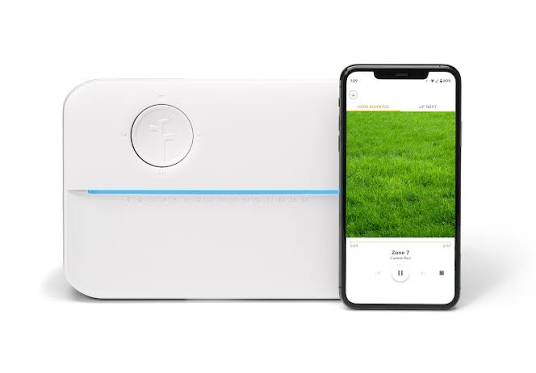
What it is: A replacement for your sprinkler timer that adjusts watering schedules based on weather, soil moisture, and plant needs.
Why it matters: Outdoor water use accounts for 30% of household water consumption on average, and much of it is waste—watering during rain, overwatering that causes runoff, or watering at midday when evaporation is highest. If you pay for water by usage or live in an area with tiered electricity rates for pumping, this waste hits your wallet directly.
The Rachio 3 is the premium option, but the Orbit B-hyve XR and Wyze Sprinkler Controller both offer core smart functionality for under $50. They connect to weather services and skip watering when rain is forecast. They adjust run times based on temperature and humidity. They allow zone-specific scheduling so your shade garden gets less water than your sun-baked lawn.
What to watch: Installation requires replacing your existing sprinkler timer, which involves connecting low-voltage wires. It’s straightforward for most homeowners but requires basic comfort with electrical connections. Also, smart controllers save water more than electricity directly—but if you’re on a well with an electric pump, every gallon saved is electricity saved too.
Real impact: Smart irrigation controllers reduce outdoor water use by 15–30%, which translates to $50–$150 in annual savings for households with significant lawn or garden irrigation. In areas with high water costs or drought surcharges, savings can exceed $300 per year.
Building Your Energy-Saving System: A Practical Order
You don’t need all seven devices. Start with the one that addresses your biggest energy category.
If your bill is highest in winter and summer: Start with the budget smart thermostat. Heating and cooling dominate most bills.
If you have many electronics: Start with a smart power strip and one energy-monitoring smart plug. Audit your phantom load.
If you have old incandescent bulbs: Start with smart LED bulbs. The savings are immediate and visible.
If you have a large lawn or garden: Start with the smart irrigation controller. Outdoor water waste is often invisible until you see the bill.
If your water heater is electric and over ten years old: Start with a smart water heater controller. The standby waste is enormous.
Add one device per month. Track your bill. Most utility companies provide daily or hourly usage data through their websites. Watch the trend line flatten.
The Bottom Line
Lowering your electric bill doesn’t require solar panels, new windows, or a complete lifestyle overhaul. It requires visibility into where your energy goes and automation to eliminate waste you can’t see or don’t think about.
These seven devices attack the biggest categories of home energy use: heating and cooling, lighting, phantom load, water heating, and outdoor irrigation. Combined, they can reduce a typical household’s electricity consumption by 20–30%—a savings of $300–$600 per year.
The total investment for all seven is roughly $250–$350. They pay for themselves in under a year. After that, every dollar saved is a dollar that stays in your account.
Start with one. Measure the change. Build from there. Your future electric bill will thank you.
Which energy drain surprised you most when you measured it? Or do you have a cheap energy-saving gadget that’s been a game-changer? Drop it in the comments—let’s build a community of people who keep more of their own money.