That $8 smart plug seems like a steal. But what’s it actually costing you? Here’s the honest truth about budget smart home devices—and how to buy smart without compromising your safety.
The Temptation: Why Cheap Smart Home Gadgets Are So Hard to Resist
Walk into any big-box store or browse Amazon and you’ll find smart plugs for $8, smart bulbs for $5, and security cameras for $15. Next to name-brand versions costing three to five times as much, the math seems obvious.
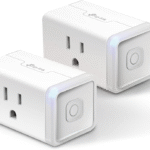
Why pay $25 for a Kasa smart plug when an off-brand looks identical and promises the same features?
The answer isn’t simple. Some cheap smart home gadgets are genuinely good value—basic hardware from lesser-known manufacturers who cut costs on marketing, not safety.
Others are genuine hazards that can overheat, catch fire, compromise your WiFi network, or sell your personal data to unknown buyers overseas.
The challenge is telling the difference before you buy.
This guide walks you through what actually makes a cheap smart home gadget safe or dangerous, what certifications to look for, how to spot red flags, and when paying more is genuinely worth it.
What “Cheap” Actually Means in the Smart Home World
Price alone doesn’t determine safety. A $10 smart plug from a reputable brand with proper certifications can be safer than a $30 plug from a no-name company that skipped testing.
Cheap smart home gadgets fall into three categories:
Budget brands with legitimate supply chains. Companies like Wyze, Kasa (TP-Link), and Govee offer inexpensive devices because they manufacture at scale, use standard components, and accept lower margins. They still submit products for safety certification and issue firmware updates. These are genuinely safe.
White-label products sold under dozens of names. The same factory in Shenzhen produces a smart plug that gets sold as “Teckin,” “Gosund,” “Avatar Controls,” and a dozen other names you’ve never heard of.
Some of these are fine. Others have inconsistent quality control, meaning one batch passes safety tests and the next doesn’t.
Straight-up counterfeit or uncertified devices. These copy the look of popular brands but use substandard components, skip safety certifications entirely, and often have no real company behind them. They’re sold on marketplace platforms with fake reviews and disappear when problems arise.
The danger isn’t the low price. It’s the lack of accountability.
The Real Risks: What Can Actually Go Wrong
Understanding the specific risks helps you evaluate whether a cheap device is worth the gamble.
Electrical Fire Hazards
Smart plugs and switches connect directly to your home’s electrical system. A poorly designed device can overheat, melt, or ignite.
The Consumer Product Safety Commission has recalled numerous cheap smart plugs after reports of overheating, melting, and fire. In 2020, a popular budget smart plug sold under multiple brand names was recalled after causing electrical fires in at least eight homes.
The failure points are usually the relay (the component that physically switches power on and off), the circuit board layout, and the quality of solder connections. Name-brand devices use relays rated for higher loads and include thermal protection. Cheap devices often use the minimum-rated components with no safety margin.
Data Privacy Violations
Every smart home device connects to your WiFi network. That means it can see what other devices are on your network, potentially intercept traffic, and phone home to servers anywhere in the world. Cheap devices from unknown manufacturers have been caught sending unencrypted data to servers in China, including WiFi passwords, device names, and usage patterns.
A 2020 study by researchers at Northeastern University and Imperial College London found that many budget IoT devices contacted unexpected servers, transmitted data without encryption, and continued communicating even when users thought they were “off.”
Some devices were found to be part of botnets—networks of compromised devices used for cyberattacks—without their owners’ knowledge.
Network Security Breaches
A compromised smart home gadget can become an entry point to your entire home network. Once inside, attackers can access your computers, phones, NAS drives, and any other connected device.
Cheap devices often use default passwords that can’t be changed, have no automatic security updates, and run outdated software with known vulnerabilities.
The Mirai botnet attack of 2016—one of the largest DDoS attacks in internet history—was launched primarily through compromised IoT devices, many of them cheap security cameras and routers with weak default passwords.
Lack of Support and Abandonment
A cheap device that works fine on day one can become a liability on day 500 if the manufacturer stops supporting it. Without firmware updates, security vulnerabilities accumulate.
Without app updates, the device stops working with your phone. Without server support, the device becomes a brick.
This is common with budget brands that operate on thin margins and disappear when sales slow. You’re left with a device that technically powers on but can’t connect to anything.
How to Spot a Safe Cheap Smart Home Gadget
Not all inexpensive devices are dangerous. Here’s how to identify the ones that are genuinely good value.
Look for UL or ETL Certification
UL (Underwriters Laboratories) and ETL (Intertek) are independent safety organizations that test electrical devices for fire, shock, and overheating risks.
A UL-listed or ETL-certified device has been physically tested and meets North American safety standards.
How to check: Look for the UL or ETL mark on the product packaging or listing. If it’s not visible, search the UL Product iQ database or ETL Listed Mark directory online using the product name or manufacturer. If you can’t find it, assume it’s not certified.
Be wary of fake certification marks. Some cheap products print “CE” (a European self-certification mark that doesn’t require independent testing) or made-up logos that look official. Real UL and ETL marks include a file number you can verify.
Verify FCC Compliance
In the United States, any device that emits radio frequencies (which all WiFi and Bluetooth smart home devices do) must be FCC-certified. This ensures the device doesn’t interfere with other electronics and meets RF exposure standards.
How to check: The FCC ID should be printed on the device or its packaging. Search the FCC ID database at fccid.io. If there’s no FCC ID, the device is illegal to sell in the US and may have untested RF emissions.
Research the Manufacturer
A real company has a real website, customer support, and a history of firmware updates.
Search for “[brand name] firmware update” and “[brand name] security vulnerability.” If you find nothing—or if the only results are Amazon listings—proceed with caution.
Check how long the company has been in business. New brands aren’t inherently bad, but a company that’s been around for five years and has a track record of patching vulnerabilities is safer than one that launched last month.
Read Critical Reviews, Not Just Star Ratings
Fake reviews are rampant in the budget smart home space. Look for reviews that mention:
- Devices heating up during normal use
- Random disconnections from WiFi
- Apps requesting excessive permissions
- Difficulty changing default passwords
- No response from customer support
A pattern of these complaints is a red flag regardless of the overall star rating.
Check for Local Control Options
Devices that require a cloud connection to function are riskier than devices that can operate locally.
If the manufacturer’s servers go down or get hacked, a cloud-dependent device stops working or becomes a vulnerability. Local control means the device works on your home network without needing to phone home.
Matter-certified devices, by design, emphasize local control. Some WiFi devices can be flashed with open-source firmware like Tasmota or ESPHome to remove cloud dependency entirely. This is an advanced option but worth knowing about.
Examine the App Permissions
Before installing a smart home app, check what permissions it requests. A smart plug app does not need access to your contacts, microphone, or location. Excessive permissions are a sign that the app is collecting data beyond what’s necessary for device operation.
When Cheap Smart Home Gadgets Are Actually Fine
There are situations where budget devices are genuinely the smart choice.
Simple, Low-Risk Devices
A smart plug that controls a lamp is low-risk. If it fails, the lamp goes off. It doesn’t create a fire hazard if properly certified, and it doesn’t need advanced features. A $10 UL-certified smart plug from a known budget brand is perfectly adequate.
Single-Purpose Devices
A temperature sensor that only reports temperature and humidity has limited attack surface. It can’t execute commands, access other devices, or control power. Even if compromised, the damage is contained. Cheap sensors from reputable budget brands are generally safe.
Devices on Isolated Networks
If you have the technical ability to put IoT devices on a separate WiFi network (often called an IoT VLAN), the risk of a compromised device affecting your computers and phones is dramatically reduced. Many modern routers support guest networks that can serve this purpose. A cheap device on an isolated network is safer than an expensive device on your main network.
When You Should Absolutely Pay More
Some devices are worth the premium because failure has serious consequences.
Smart Locks
Your front door is a security boundary. A cheap smart lock with poor encryption, easily picked components, or a history of vulnerabilities puts your physical safety at risk. Spend the extra money for a Yale, August, or Schlage with proven security track records and regular firmware updates.
Security Cameras
Cameras inside your home capture your most private moments. A cheap camera with weak security can be accessed by strangers. There are documented cases of budget security cameras being hacked and live feeds sold online. Buy cameras from companies with strong encryption, two-factor authentication, and local storage options.
Smart Thermostats and HVAC Controls
A malfunctioning thermostat can damage your HVAC system, which costs thousands to replace. It can also create safety hazards if it improperly controls gas or electric heating. Stick with established brands like Ecobee, Nest, or Honeywell.
Smoke and Carbon Monoxide Detectors
This should be obvious, but it bears repeating: never buy uncertified life safety devices. Smart smoke detectors must be UL-listed and meet NFPA standards. Your life depends on them working correctly.
The Smart Way to Buy Cheap Smart Home Gadgets
If you’re budget-conscious but safety-minded, here’s a practical approach.
Start with one category. Buy a single cheap smart plug from a budget brand with good reviews and proper certifications. Use it for a month. Monitor if it gets warm, disconnects frequently, or behaves oddly. If it passes this test, buy more from the same brand.
Stick to known budget brands. Wyze, Kasa, Govee, and Meross have established track records, regular firmware updates, and responsive customer support. They’re not perfect, but they’re accountable.
Avoid marketplace unknowns. That $5 smart plug from a brand with no website, sold only on Amazon by a seller with a random name, is not worth the risk. The savings are trivial compared to the potential cost of a fire or data breach.
Use a separate network. Even a basic router guest network isolates your smart home devices from your computers and phones. If a device is compromised, the attacker can’t access your personal files or banking information.
Update firmware religiously. Enable automatic updates if available. Check the app monthly for updates if not. Security patches are the primary defense against newly discovered vulnerabilities.
Have an exit strategy. Don’t build your entire smart home on a brand that might disappear. Buy devices that work with multiple platforms or support Matter, so you’re not trapped if the company folds.
The Bottom Line
Cheap smart home gadgets can be safe, but they require more diligence from you. The money you save on the purchase price gets spent in research time and ongoing vigilance. Name-brand devices cost more because they absorb that burden—certifications, security testing, firmware updates, and customer support are built into the price.
The question isn’t whether cheap is safe. The question is whether you’re willing to do the work to verify safety yourself. If you are, you can build a capable smart home for half the cost. If you’re not, pay the premium for peace of mind.
Either way, never compromise on electrical safety certifications for any device that touches your home’s wiring. That $8 smart plug isn’t a deal if it burns your house down.
Have you had a good or bad experience with a cheap smart home gadget? Share in the comments—your story might save someone else from a mistake.