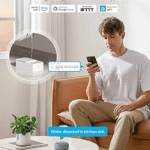
A smart home makes everyday life easier. You can control lights, security cameras, smart locks, thermostats, speakers, and other devices with your phone or voice. But when your smart home goes offline, these devices may stop working properly.
If your smart home is offline, do not worry. In most cases, the problem is easy to find and fix. It is often caused by an internet issue, a Wi-Fi problem, or a device that needs to be restarted.
In this guide, you will learn why your smart home is offline, how to identify the problem, and the best ways to get everything working again.
What Does It Mean When Your Smart Home Is Offline?
When your smart home is offline, your smart devices cannot connect to the internet or communicate with each other.
As a result, you may notice problems such as:
- Smart lights not responding.
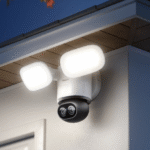
- Security cameras showing as offline.
- Smart speakers not answering voice commands.
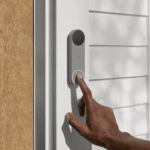
- Smart locks not connecting.
- Smart plugs not working through the app.
- Home automation routines not running.
Some devices may still work manually, but many smart features require an internet connection.
Why Is My Smart Home Offline?
There are several reasons why your smart home may suddenly stop working.
Your Internet Connection Is Down
This is the most common reason.
Most smart home devices depend on your home internet connection. If your internet service is unavailable, your devices cannot connect to the cloud or receive commands.
Check whether websites load on your phone or computer while connected to your home Wi-Fi. If nothing works, your internet connection may be down.
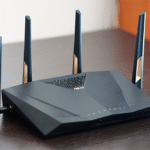
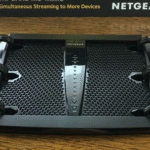
Your Wi-Fi Router Needs to Be Restarted
Sometimes the internet is working, but your Wi-Fi router is having problems.
Routers can slow down or stop responding after running continuously for a long time.
Restarting the router often fixes temporary connection problems.
Unplug the router, wait about 30 seconds, and plug it back in. Give it a few minutes to reconnect before testing your smart devices again.
Your Smart Device Lost Its Wi-Fi Connection
Sometimes only one device is offline while everything else works normally.
This can happen if the device lost its Wi-Fi connection after a power outage, router restart, or software update.
Open the device’s app and check whether it needs to reconnect to your Wi-Fi network.
Weak Wi-Fi Signal
Smart home devices need a strong wireless signal to stay connected.
If a device is too far from the router, the signal may be weak.
Walls, floors, metal objects, and large appliances can also reduce Wi-Fi strength.
Moving the router to a better location or using a Wi-Fi extender or mesh Wi-Fi system can improve coverage.
Power Outage
If your home recently lost power, your smart devices may still be restarting.
Some devices reconnect automatically, while others may need to be restarted manually.
Check that the device has power and wait a few minutes before troubleshooting further.
App or Cloud Service Problems
Many smart home products use online servers to work.
Sometimes the company’s servers have temporary problems. When this happens, your devices may appear offline even though your internet connection is working normally.
If multiple users are reporting the same issue, you may simply need to wait until the service is restored.
Outdated Software
Smart home devices receive software updates that improve performance and security.
If a device has very old software, it may have trouble connecting properly.
Check the app to see if updates are available for your devices or your smart home hub.
Incorrect Wi-Fi Password
If you recently changed your Wi-Fi name or password, your smart devices may still be trying to connect using the old information.
Reconnect the devices using the new Wi-Fi network and password.
How Can I Tell What Is Causing the Problem?
Start by checking whether every smart device is offline or only one.
If every device is offline, the problem is usually your internet connection or Wi-Fi router.
If only one device is offline, the problem is probably with that specific device.
This simple check can save time and help you find the right solution more quickly.
How to Get Your Smart Home Back Online
Most smart home problems can be solved by following a few simple steps.
Restart Your Router
Turn off your router by unplugging it.
Wait about 30 seconds before plugging it back in.
Allow a few minutes for the internet connection to return.
Many connection problems are fixed with this simple step.
Restart the Offline Device
Turn the smart device off if possible.
Wait about 30 seconds, then turn it back on.
Many devices reconnect automatically after restarting.
Check Your Internet Connection
Try opening a website on a phone or computer connected to your home Wi-Fi.
If the internet is not working, contact your internet service provider if restarting the router does not solve the problem.
Move Devices Closer to the Router
If the Wi-Fi signal is weak, move the smart device closer to the router if possible.
If moving the device is not practical, consider adding a Wi-Fi extender or upgrading to a mesh Wi-Fi system for better coverage.
Update Device Software
Open your smart home app and look for available software updates.
Installing updates can fix connection problems and improve device performance.
Reconnect the Device to Wi-Fi
If the device still cannot connect, remove it from the app and connect it again using your current Wi-Fi network.
Follow the instructions provided by the manufacturer to complete the setup.
How Can You Prevent Smart Home Connection Problems?
You can reduce the chances of future problems by following a few simple habits.
- Keep your router in a central location.
- Restart your router occasionally.
- Install software updates when they become available.
- Use a strong and reliable Wi-Fi network.
- Avoid placing smart devices too far from the router.
- Replace older networking equipment if it no longer provides good coverage.
These simple steps can help your smart home stay connected more reliably.
When Should You Ask for Help?
If you have restarted your router, checked your internet connection, updated your devices, and reconnected them to Wi-Fi but they still remain offline, it may be time to contact the device manufacturer’s support team.
They can help identify hardware problems, account issues, or advanced network settings that may be preventing your devices from connecting.
Final Thoughts
A smart home can go offline for many reasons, but the most common causes are internet outages, Wi-Fi problems, weak wireless signals, power outages, or devices that need to reconnect.
In most cases, the solution is simple. Restart your router, check your internet connection, restart the affected device, and make sure it has a strong Wi-Fi signal. Keeping your software updated and your home network in good condition can also help prevent future connection problems.
With a little troubleshooting, you can usually get your smart home back online and enjoy all of its convenient features again.