You don’t need a $200 thermostat or a $300 robot vacuum to make your home smarter. These ten devices cost less than a dinner out—and they solve real problems you face every single day.
The Reality of Budget Smart Home Tech
The smart home industry wants you to believe that meaningful automation starts at $100 and scales into the thousands. Walk into any electronics store and the featured displays showcase $250 video doorbells, $400 security systems, and $500 robot vacuums. The message is clear: smart living is expensive living.
It’s not true.
Some of the most genuinely useful smart home gadgets cost less than $50. They’re not stripped-down versions of premium products. They’re focused tools that do one thing exceptionally well. The difference is that they don’t have marketing budgets, celebrity endorsements, or shelf space at big-box retailers.
This guide highlights ten devices that deliver real value under $50. Each one is evaluated on what actually matters: reliability, ease of setup, ongoing costs, and whether it solves a problem you’ll notice in daily life. No fluff. No features you’ll never use. Just honest recommendations for real homes.
1. Kasa Smart Plug Mini: The Foundation of Home Automation
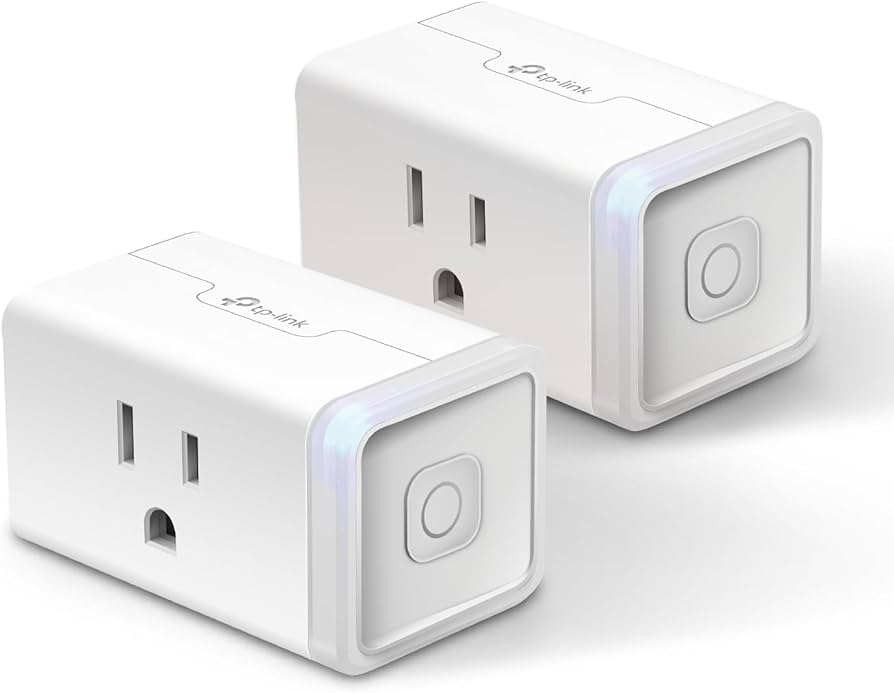
Price: ~$12
What it actually does: Turns any lamp, fan, coffee maker, or space heater into a remotely controlled device.
Why it matters: This is where most smart home journeys should start. You don’t need to replace appliances or rewire anything. You plug this into the wall, plug your device into it, and suddenly you can turn things on and off from your phone, set schedules, and monitor energy usage.
The Kasa Smart Plug Mini is physically small enough that it doesn’t block adjacent outlets—a common problem with bulkier smart plugs. It connects directly to your WiFi without requiring a separate hub. The Kasa app is clean, intuitive, and doesn’t push subscriptions.
Energy monitoring: The EP25 model tracks how much power your connected device draws. This is genuinely useful for identifying energy vampires—devices that draw significant power even when “off.” A gaming console on standby can cost $50–$100 per year in phantom load. One smart plug pays for itself by helping you find and eliminate these drains.
What to watch: The 15-amp version handles most household devices, but check your appliance’s rating before connecting high-draw items like space heaters or air conditioners. The 10-amp version is cheaper but shouldn’t be used for heating devices.
Real impact: Automating a bedside lamp to turn on gradually at your wake-up time costs less than a dedicated sunrise alarm clock and works just as well.
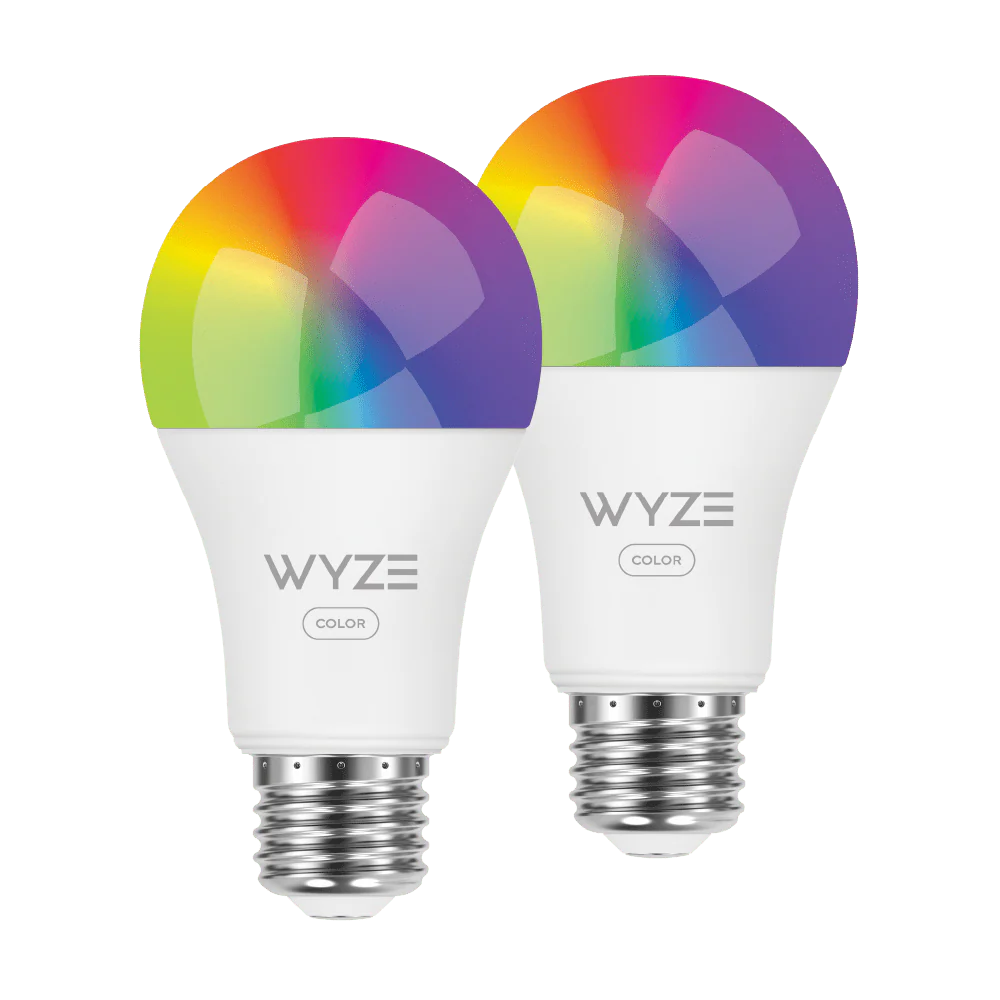
2. Wyze Bulb Color: Smart Lighting Without the Premium Tax
Price: ~$12 per bulb
What it actually does: Replaces any standard light bulb with one that changes color, adjusts brightness, and follows schedules.
Why it matters: Philips Hue dominates the smart lighting conversation, but a single Hue color bulb costs $50—and requires a $60 hub for full features. The Wyze Bulb Color delivers 90% of the functionality at 20% of the price.
It produces 16 million colors, adjustable white temperature from 2700K (warm candlelight) to 6500K (daylight), and dimming from 1% to 100%. The Wyze app includes a “Sleep Routines” feature that gradually dims and warms the light over 30 minutes, supporting your natural melatonin production.
No hub required: It connects directly to your WiFi. Setup takes under two minutes. This matters because hubs add cost, complexity, and a point of failure.
What to watch: Wyze has had security incidents in the past, including a brief period where some users could see others’ camera feeds. The company has since strengthened security practices. For bulbs specifically—which have no camera or microphone—privacy risk is minimal. If you’re concerned, put Wyze devices on a guest network isolated from your computers and phones.
Real impact: Setting your bedroom lights to automatically dim to 10% warm amber at 9:30 PM and turn off at 10:30 PM improves sleep quality measurably—and costs less than a single dinner out.
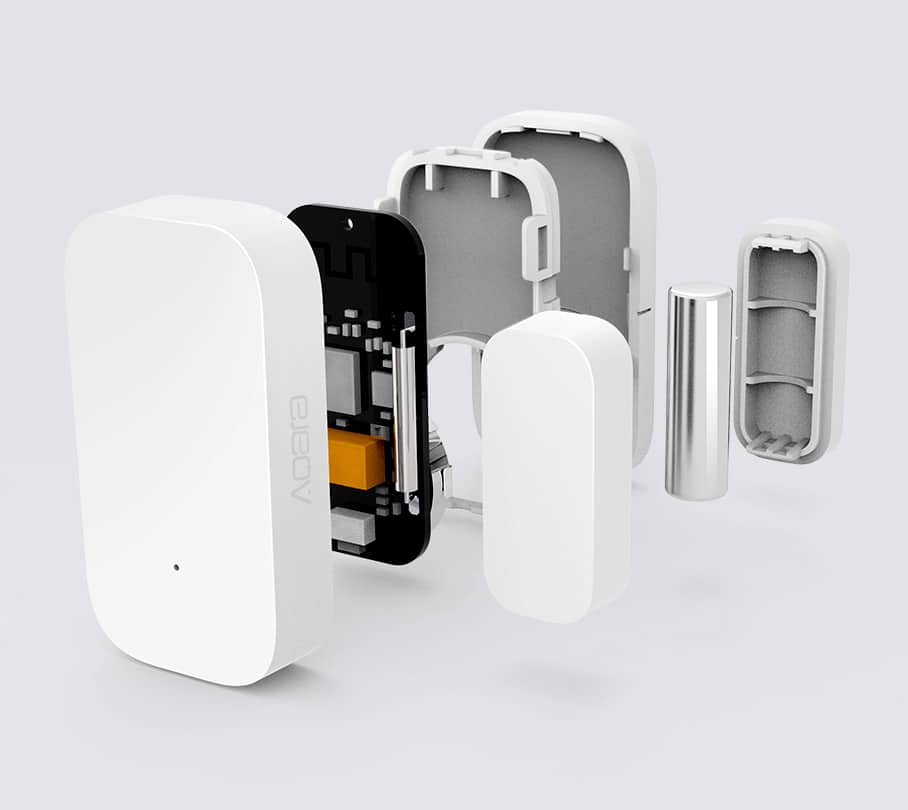
3. Aqara Door and Window Sensor: Know When Something Opens
Price: ~$15
What it actually does: Detects when a door or window opens and sends an instant notification to your phone.
Why it matters: Security doesn’t start with cameras. It starts with knowing when entry points are accessed. These sensors are small, battery-powered, and last two years on a single coin cell. They attach with adhesive strips—no drilling, no wiring.
The Aqara sensor connects to the Aqara Hub (sold separately, ~$60) or directly to some platforms like HomeKit. Through the hub, it triggers automation: turn on lights when the front door opens after dark. Sound a siren if a window opens while you’re away. Send a notification if the back door opens unexpectedly.
What to watch: Without the Aqara Hub, functionality is limited. Budget for the hub if you plan to use multiple Aqara devices. The hub itself is a worthwhile investment—it’s a Zigbee hub that connects to over 100 devices and processes automation locally, meaning it works even when your internet is down.
Real impact: A sensor on your front door that turns on the entryway light and sends you a notification when your child gets home from school eliminates worry and prevents fumbling for keys in the dark.
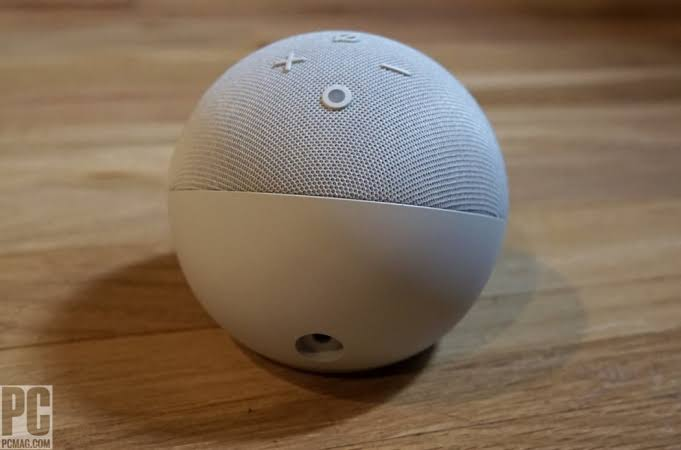
4. Amazon Echo Dot (5th Gen): The Voice Control Entry Point
Price: ~$50 (frequently on sale for $25–$35)
What it actually does: Responds to voice commands, controls smart home devices, plays music, answers questions, and serves as a hub for some devices.
Why it matters: The Echo Dot is the cheapest way to add hands-free control to your smart home. Once you have smart plugs and bulbs, saying “turn off the living room lights” is faster than finding your phone, opening an app, and tapping a button. It also enables routines—multi-step automation triggered by a single phrase or schedule.
The 5th generation includes improved audio for music, a temperature sensor (enabling temperature-based routines), and eero Built-in—allowing it to extend your WiFi network if you have other eero devices.
What to watch: Amazon collects voice recordings by default. You can review and delete these in the Alexa app privacy settings. The Echo Dot also functions as a Sidewalk bridge, sharing a small portion of your internet bandwidth with neighbors’ Amazon devices. You can disable this in settings.
Real impact: Creating a “Goodnight” routine that turns off all lights, locks the door, and lowers the thermostat with a single phrase eliminates the nightly checklist and ensures nothing gets forgotten.
5. Govee LED Strip Lights: Ambient Lighting That Transforms Spaces
Price: ~$20–$35 depending on length
What it actually does: Adhesive LED strips that attach to the back of TVs, under cabinets, or along ceilings, providing adjustable ambient lighting.
Why it matters: Harsh overhead lighting is terrible for your eyes and your mood. Ambient lighting—soft, indirect illumination at eye level or below—reduces eye strain, creates visual comfort, and makes spaces feel larger and more welcoming.
Govee strips are particularly effective behind TVs. The light reduces the contrast between the bright screen and dark room, which reduces eye fatigue during long viewing sessions. The Govee app includes a “DreamView” feature that syncs the strip color to on-screen content, creating immersive lighting that extends the image beyond the screen edges.
What to watch: The adhesive backing is strong but not permanent. For clean removal later, apply the strip to a surface you don’t mind potentially damaging, or use mounting clips. The power adapter is bulky—plan your placement near an outlet.
Real impact: Bias lighting behind a TV (illuminating the wall behind the screen) reduces perceived eye strain by up to 50% compared to viewing in a dark room, according to imaging science research.
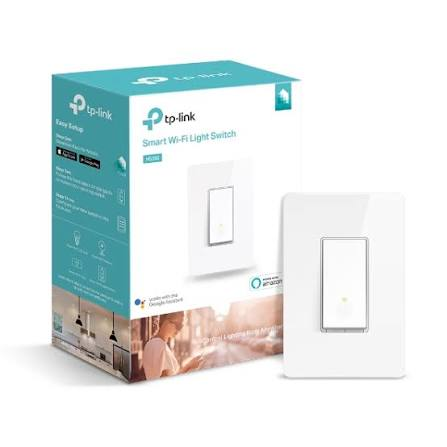
6. TP-Link Kasa Smart Light Switch: Replace the Switch, Not Every Bulb
Price: ~$15–$20
What it actually does: Replaces your existing wall light switch with one that can be controlled remotely, scheduled, and automated.
Why it matters: Smart bulbs are great until someone flips the wall switch off, killing power and rendering the bulb “dumb” until you flip it back on. A smart switch solves this by making the wall control itself smart. You can still use the physical switch, but it also responds to app and voice commands.
This is especially valuable for fixtures with multiple bulbs—like a chandelier with six bulbs. Replacing six bulbs with smart versions costs $60–$100. Replacing the switch costs $15.
Installation: This requires turning off power at the breaker, removing the old switch, and connecting three wires (line, load, and neutral). If your electrical box doesn’t have a neutral wire (common in homes built before 1985), you’ll need a no-neutral switch, which costs slightly more. If you’re not comfortable with basic electrical work, hire an electrician—this is a 10-minute job that shouldn’t cost more than $50–$75.
What to watch: The Kasa Smart Switch requires a neutral wire for standard installation. Verify your wiring before purchasing. The KS200 model is the standard version; the KS205 is the dimmer version for lights that need brightness control.
Real impact: A smart switch on your porch light that automatically turns on at sunset and off at sunrise eliminates the daily mental burden—and ensures you never come home to a dark house.
7. SwitchBot Bot: Make Dumb Devices Smart Without Replacing Them
Price: ~$30
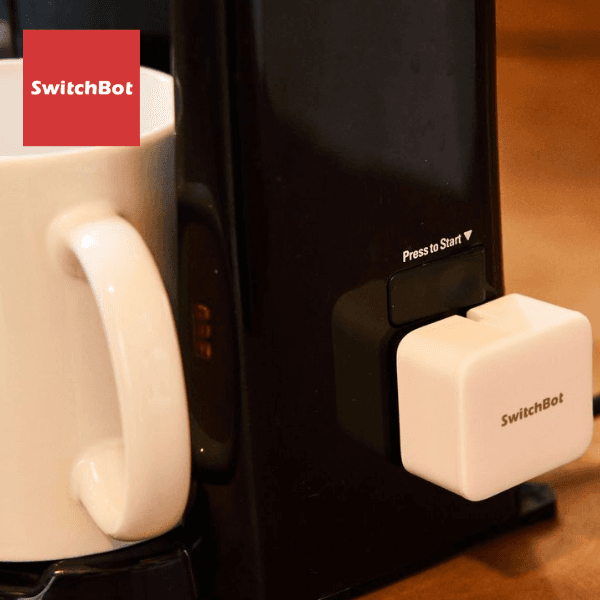
What it actually does: A small robotic finger that physically presses buttons, flips switches, or turns knobs on devices that aren’t smart.
Why it matters: Not everything can be replaced. Your coffee maker, air conditioner, or old space heater might work perfectly but lacks any connectivity. The SwitchBot Bot sits on top of the device and mechanically presses the power button when you send a command.
It’s surprisingly versatile. It can press the power button on a PC to start a remote work session. It can flip a wall switch that controls a hardwired appliance. It can turn on an air conditioner that only has physical buttons. It can even press the brew button on a coffee maker.
What to watch: The Bot works best on buttons that require light to moderate pressure. Heavy toggle switches or knobs that require significant torque may need the SwitchBot Hub Plus for stronger actuation. The Hub Plus also adds remote control and scheduling.
Real impact: Turning on your window air conditioner 30 minutes before you get home on a hot day costs $30 instead of replacing a perfectly functional unit with a smart model that costs $300.
8. Aqara Motion Sensor: Detect Movement Without Cameras
Price: ~$15
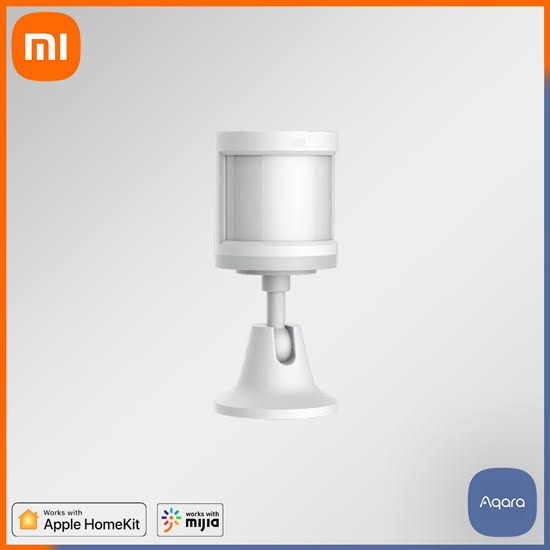
What it actually does: Detects motion in a room and triggers notifications, lights, or automation.
Why it matters: Not every space needs a camera. Sometimes you just want to know if someone entered a room, or turn on a light when you walk down a dark hallway. The Aqara Motion Sensor is small, battery-powered, and detects motion within a 170-degree field of view up to 22 feet away.
It includes light sensing, so you can create automation like “turn on the hallway light only if motion is detected and the room is dark.” This prevents lights from turning on during daylight or when you’re already awake.
What to watch: Like other Aqara devices, it requires the Aqara Hub for full functionality. The sensor is also sensitive to rapid temperature changes—placing it near a heating vent or window can cause false triggers. Mount it in a corner, 6–7 feet high, for optimal coverage.
Real impact: A motion sensor in the bathroom that turns on a dim red light at 10% brightness when you get up at night preserves your sleep-adapted vision and prevents the jarring blast of full overhead lighting.
9. Meross Smart Garage Door Opener: Control Your Biggest Entry Point
Price: ~$50 (frequently on sale for $35–$40)
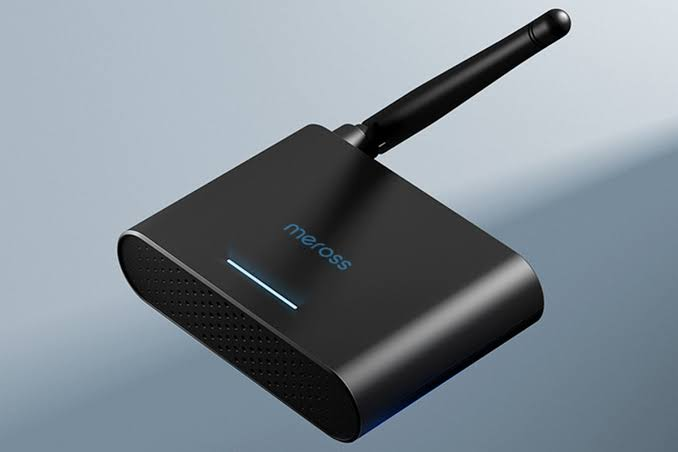
What it actually does: Adds smartphone control, scheduling, and voice control to your existing garage door opener.
Why it matters: Your garage door is one of the largest and most vulnerable entry points to your home. Yet most people have no way to check if they left it open or close it remotely. The Meross Smart Garage Door Opener connects to your existing opener’s wiring and adds full smart control without replacing the motor.
Installation takes 15 minutes: attach the sensor to the door, connect the controller to your opener’s terminals, and pair with the app. You can then check door status, open or close remotely, receive notifications if the door opens unexpectedly, and set automatic closing schedules.
What to watch: It works with most garage door openers manufactured after 1993 that have standard safety sensors. Very old openers or those with proprietary systems may not be compatible. The Meross app requires account creation but doesn’t charge subscription fees.
Real impact: The ability to check and close your garage door from anywhere eliminates the “did I leave it open?” anxiety that strikes halfway to work. Automatic closing at 10 PM ensures it’s never left open overnight.
10. Roku Streaming Stick 4K: Smart Entertainment That Doesn’t Break the Bank
Price: ~$40–$50
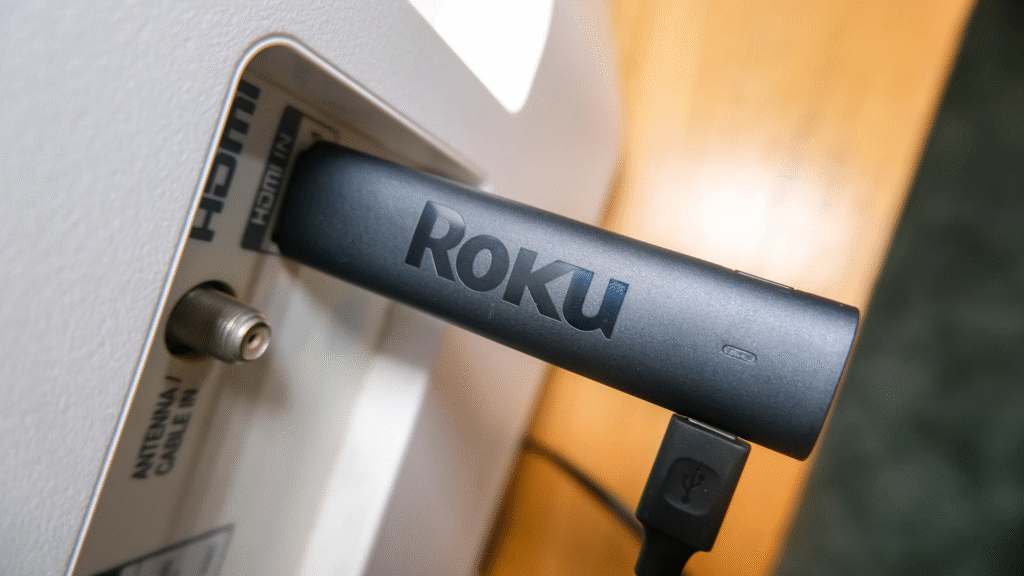
What it actually does: Turns any TV with an HDMI port into a smart TV with 4K streaming, voice control, and smart home integration.
Why it matters: Most smart TVs have slow, outdated interfaces and stop receiving software updates after a few years. A dedicated streaming stick is faster, more secure, and easily replaceable. The Roku Streaming Stick 4K supports Dolby Vision, HDR10+, and all major streaming services.
It also integrates with smart home platforms. You can control playback with Alexa or Google Assistant voice commands. Roku devices can be turned on and off through smart home automation, and they support Apple AirPlay for casting from iPhones and iPads.
What to watch: Roku’s interface includes advertising, which some users find intrusive. The device requires a Roku account (free). Privacy settings should be reviewed—Roku collects viewing data by default, which can be limited in settings.
Real impact: A $40 streaming stick extends the useful life of a 10-year-old TV by a decade, adding 4K, HDR, and smart features that didn’t exist when the TV was manufactured.
How to Choose Which Gadgets to Buy First
You don’t need all ten. Start with the one that solves your most persistent daily annoyance.
If you constantly forget to turn things off: Start with the Kasa Smart Plug Mini. Automate your most-forgotten device.
If you come home to a dark house: Start with the Kasa Smart Light Switch or Wyze Bulb Color. Schedule lighting to match your routine.
If you worry about home security: Start with the Aqara Door and Window Sensor and Motion Sensor. Know when things move.
If you want hands-free control: Start with the Echo Dot. It unlocks voice control for everything else you add later.
If you have a device you wish were smart: Start with the SwitchBot Bot. Make it smart without replacing it.
The Bottom Line
Smart home technology doesn’t require a major investment. The ten devices above total roughly $300—less than a single premium smart thermostat—and they address the most common daily frustrations: lights left on, doors left open, devices that can’t be controlled remotely, and spaces that don’t feel right.
The key is starting with one problem, solving it well, and building from there. Each device you add should earn its place by making your life measurably easier. These ten do exactly that, without draining your wallet or locking you into expensive ecosystems.
Start small. Start smart. Start under $50.
Which of these are you adding to your home first? Or do you have a budget smart home gadget that’s been a game-changer? Share in the comments—let’s build a list of real-world tested recommendations.